Appearance
Storefronts
Rebrand a storefront photo, then clean the sidewalk—two focused passes beat one overloaded prompt.

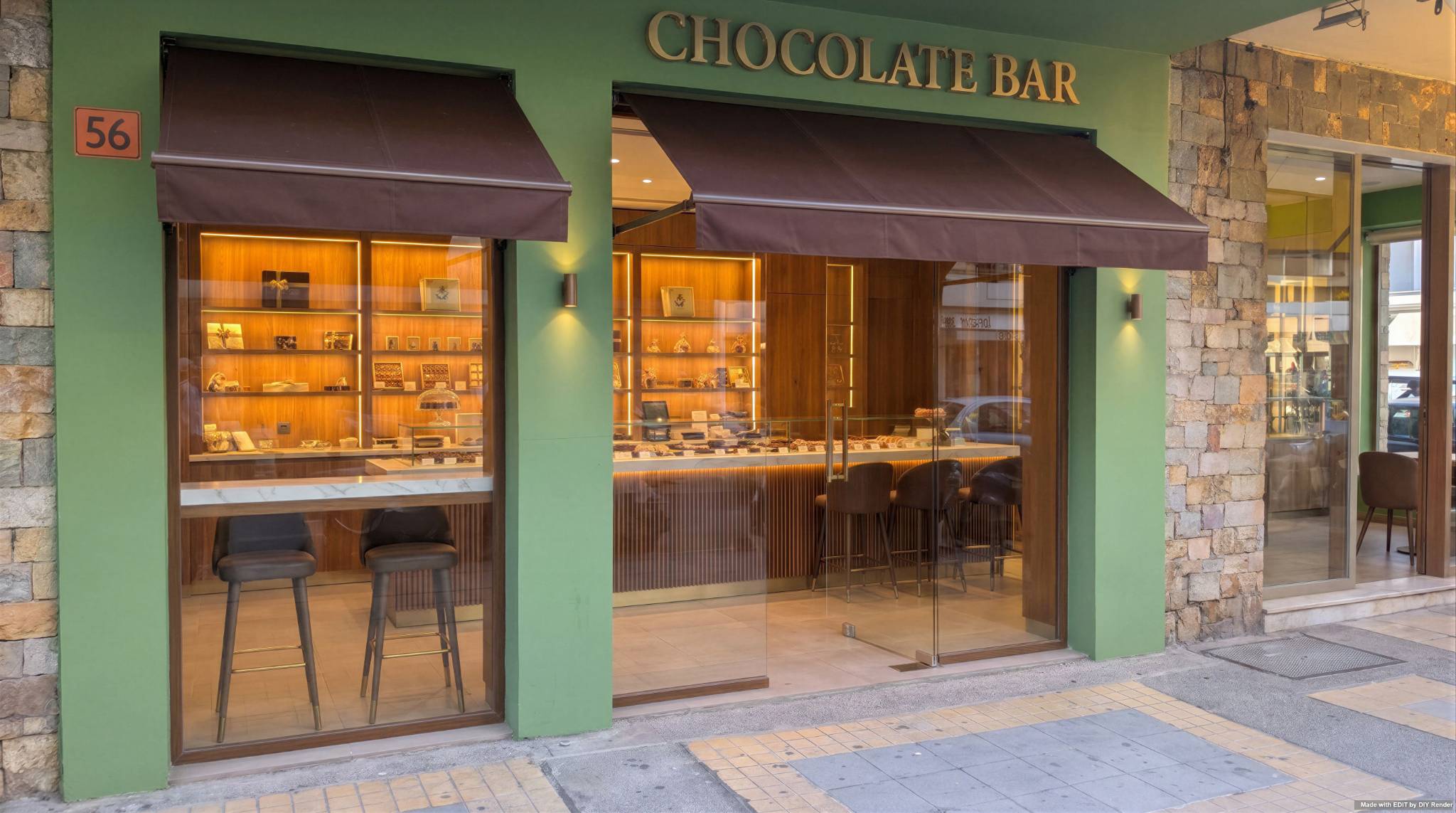
Upload your storefront
Click + New. Upload a clear street-level photo of the facade—readable signage and windows help.

Use the Assistant
Open the Assistant and click a Prompt Option—or paste the rebrand prompt below.
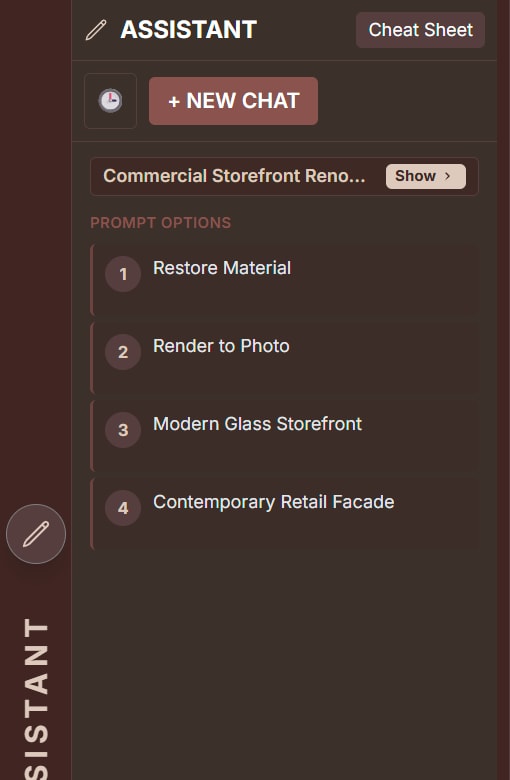
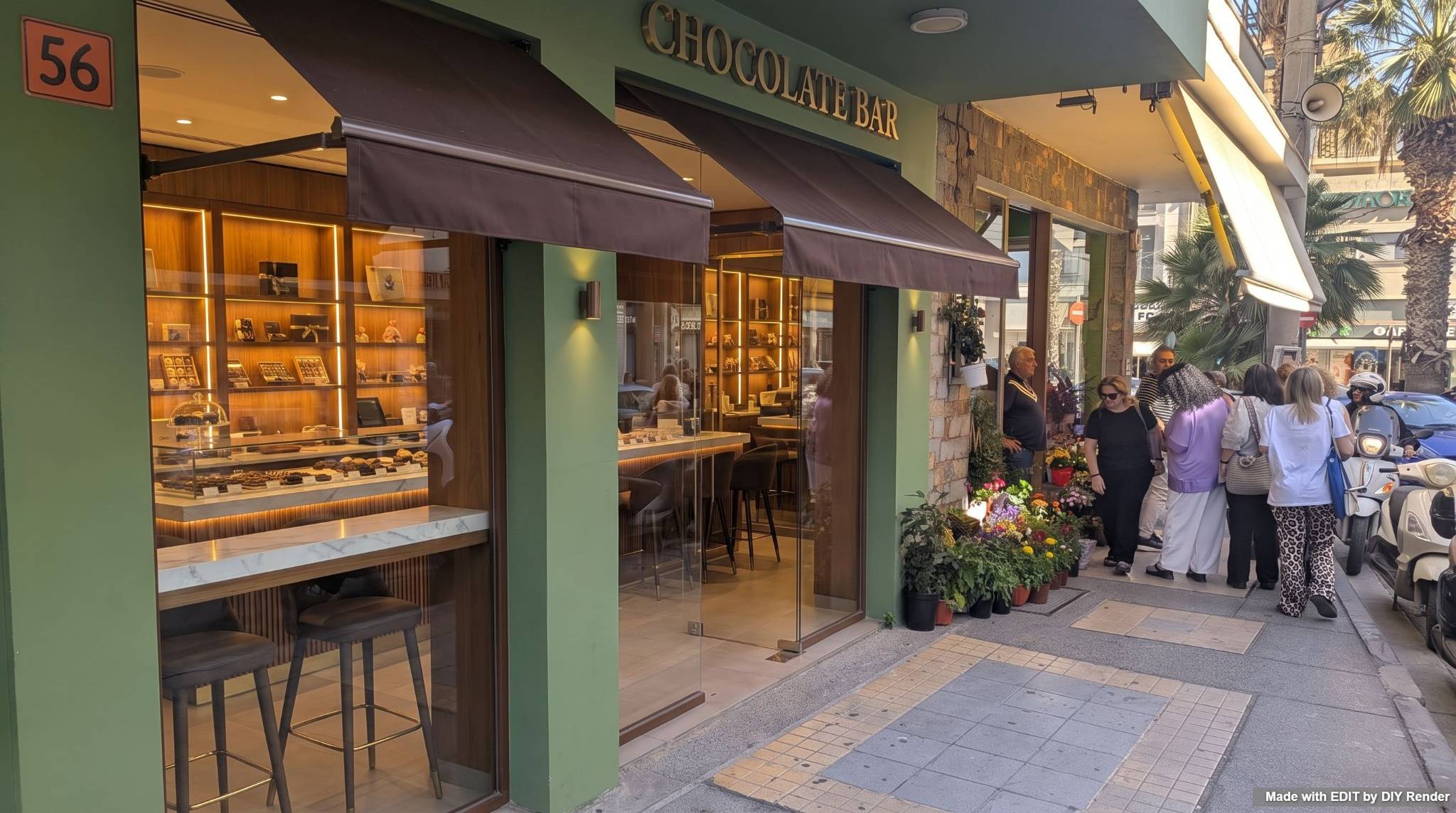
Step 1 — Rebrand
New name, awning, signage, and interior vibe—while preserving building geometry and light.
Example: Storefront Rebrand
Prompt
Transform the storefront into "Chocolate Bar" with a modern dessert lounge aesthetic. Keep the sage green exterior paint, add a dark chocolate-brown fabric awning, and place stylish polished brass "Chocolate Bar" lettering over the entrance. The interior, visible through clear glass, should feature amber-lit shelving, a marble service counter, and high-end bar seating. Preserve the building’s geometry, the adjacent flower shop’s stone texture, and the warm, inviting natural light.Step 2 — Remove people & reframe
Use Step 1’s result as the new source. Clean the plate and square the camera to the facade.
Example: Storefront: Remove & Reframe
Prompt
Generate a clean, people-free view of the chocolate bar storefront by adjusting the camera angle to be more parallel to the facade. Remove all people, the scooter, and sidewalk clutter. Seamlessly extend the existing stone wall textures and paving tiles to fill the space where figures were removed. Retain the exact architectural features of the building, including the framing, glass transparency, and external lighting fixtures.Chain the outputs—don’t restart Step 2 from the original photo. Name what must stay fixed (geometry, neighbors, light) so the rebrand doesn’t drift.
Go Further: Explore exterior details
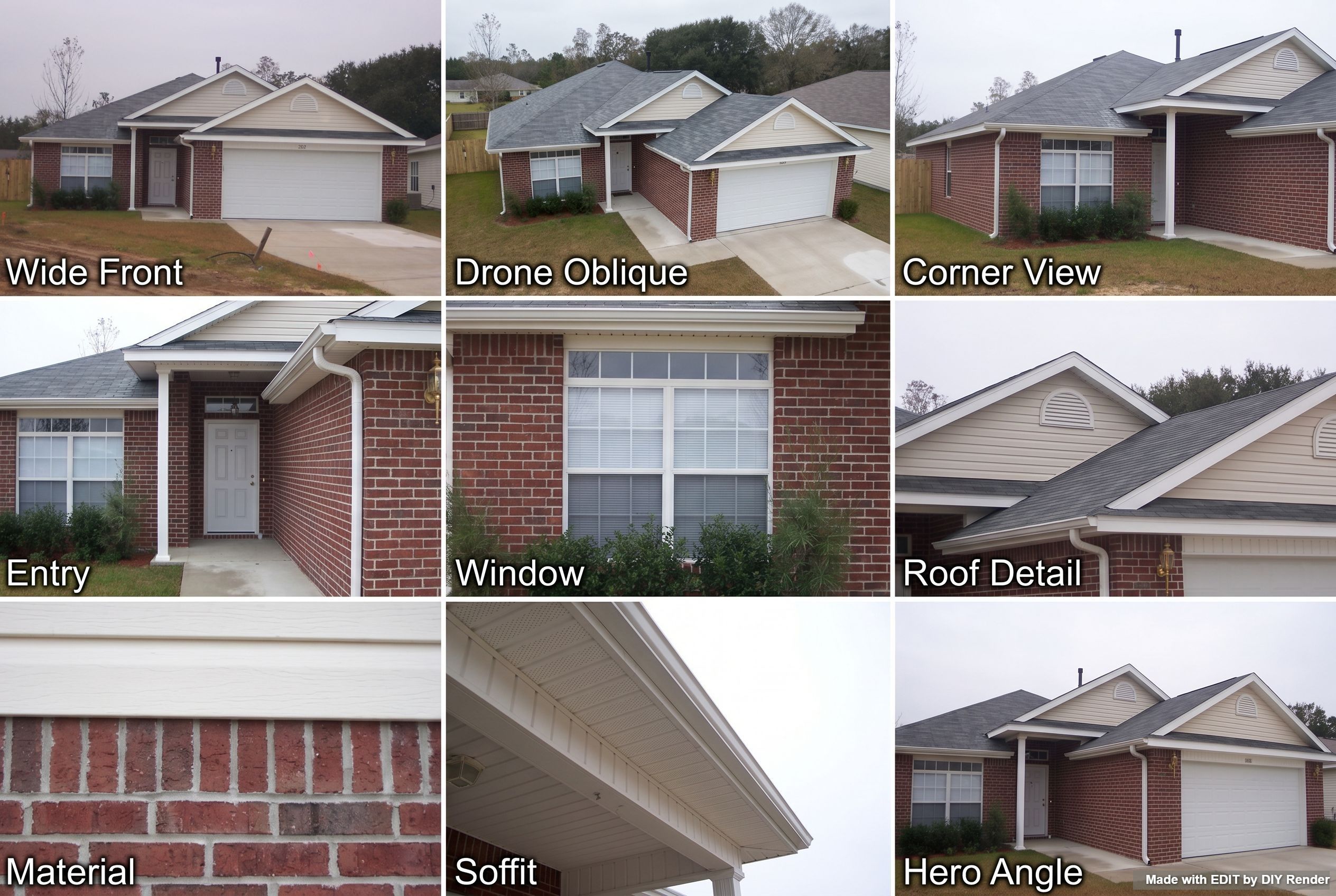
Run an Architectural Exterior Details grid on your finished storefront to compare close-up options—then Enhance the panel you like.
Grids are only available in EDIT. Find them via the Assistant Cheat Sheet, or click Grids above the main prompt area:

Example: Architectural Exterior Details
More guides
Same app—different job:
- Exterior Restyle, Light & Landscaping — residential exteriors
- 3D elevations — drawings to photoreal
Browse every how-to with previews: All guides.
Rebrand your storefront in two passes.
Try EDIT free — no credit card.